
TECHNICAL INSIGHTS · November 23, 2026
Custom Cutting Tool Drawings: A Metric and Inch RFQ Checklist
Prepare a custom cutting-tool RFQ with explicit units, drawing revision, full model designation and separate cutting, shank and overall dimensions.
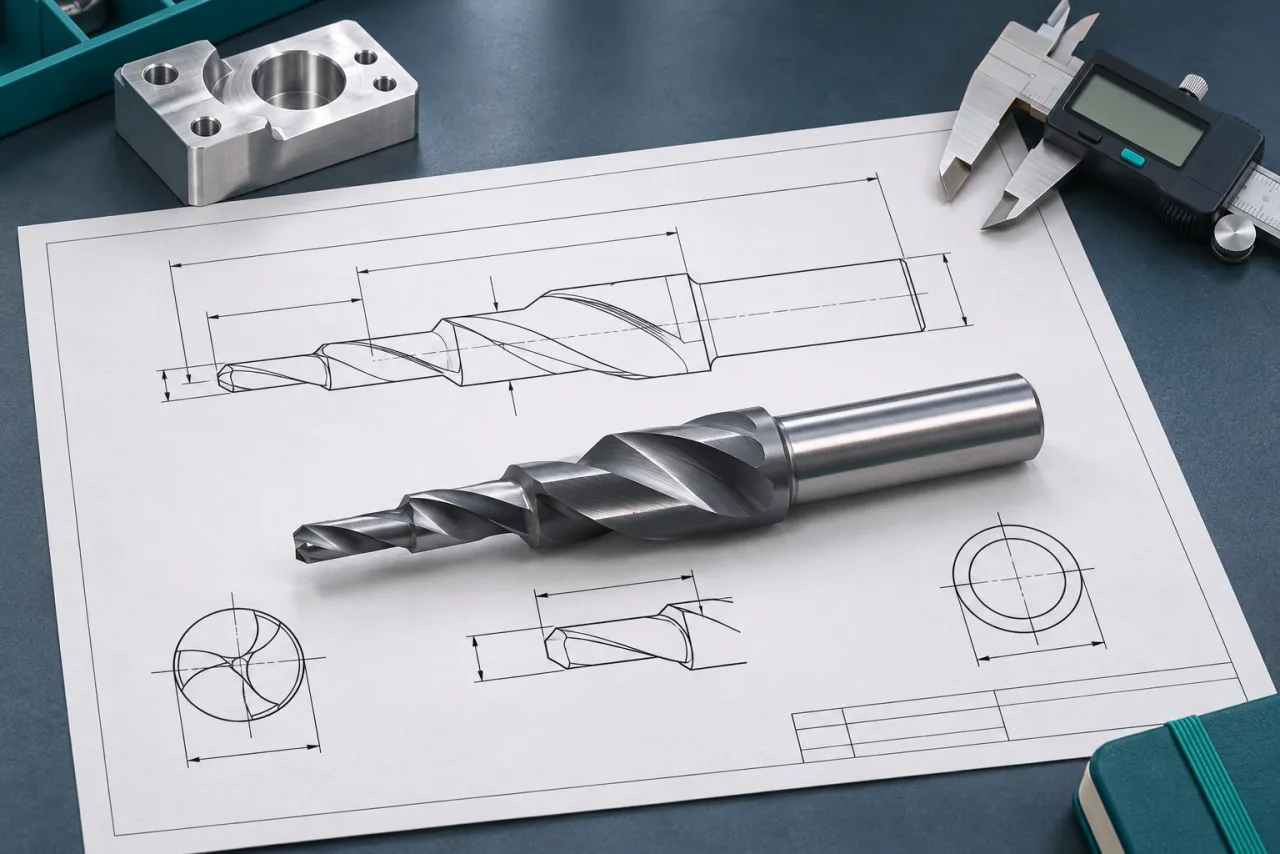
A custom cutting-tool enquiry can contain a clear model number and still leave the dimensions uncertain. A buyer may work from an inch drawing, a distributor may enter millimetres in a spreadsheet, and an engineer may receive a cropped catalogue image without its column headings. Before requesting a quote, keep the original units, the exact tool designation and the drawing revision together.
This checklist is for buyers sourcing custom PCD, MCD or solid-carbide tools across markets. It helps prepare an understandable technical brief; it does not establish an approved design, machine compatibility or manufacturing tolerance.
1. Identify the drawing that controls the requirement
Attach the complete drawing, including its title block, notes and revision. Say whether it describes the finished component or the cutting tool. A part drawing can explain the feature to machine, but the supplier may still need to develop and confirm a tool drawing. A screenshot of a cutter is useful background, but it cannot replace missing dimensions or notes.
When a PDF, a CAD model and a previous quotation disagree, list the discrepancy instead of selecting the most convenient value. Ask for a written technical clarification before accepting the proposed tool. Keep the original file alongside any translated or annotated version so the reviewer can see what changed.
2. State millimetres or inches explicitly
NIST defines one inch as exactly 25.4 millimetres. Consequently, 0.125 inch converts to 3.175 mm. That arithmetic does not establish that two tools are interchangeable: geometry, tolerances, gripping requirements and the application must also match. The conversion reference is NIST: SI Units – Length.
Write the unit next to each requested dimension, or clearly state which drawing note governs it. Do not infer units from the buyer’s country or the appearance of a model code. For a mixed-unit brief, identify which values are original and which are calculated reference values. If a dimension has no confirmed unit, leave it unresolved and request clarification.
3. Keep cutting diameter, shank, cutting length and overall length separate
The MicroDrill catalogue model lookup lists a D04-0.3 example with a 0.3 mm cutting diameter, 3.175 mm shank diameter, 5 mm cutting length and 38.1 mm overall length. These are four different catalogue fields. The shank is not the cutting diameter, and overall length is not available cutting reach.
A listed cutting length is also not an automatic approval for a hole of the same depth. Provide the actual hole or feature depth, whether it is blind or through, and the workpiece material. The engineering review must consider the complete setup. For a PCB application, identify the board thickness and panel stack separately rather than entering overall tool length in the stack field.
Use these published numbers only to identify the catalogue example. They do not establish the suitability, coating, stock, price or delivery of another product with a similar code. You can check the exact D04-0.3 catalogue model before sending the enquiry.
4. Preserve the original tolerance and revision information
Keep nominal dimensions and tolerance notes as separate information. A rounded converted value should not silently replace the original requirement. If a drawing uses a general tolerance note, include that note in the review package rather than copying only the nominal dimension into an email.
Mark an omitted tolerance as “not supplied” instead of assuming the tightest value from another feature. Likewise, a previous inspection report applies to its identified tool and drawing revision; it is not blanket evidence that a new geometry has been reviewed. Read the PCD form-cutter inspection report checklist when preparing a repeat order.
5. Include the full ordering designation
Copy the complete published model and the relevant catalogue column. Do not shorten a designation because two rows share dimensions. Where coated and uncoated options are separately identified, keep that distinction in the request and ask the supplier to repeat the proposed designation in its response. Where a coating or variant is not explicitly stated, request confirmation instead of assigning one.
For a made-to-drawing tool without an existing model, use the customer drawing number and revision as the reference. Provide the material to machine and the intended operation so an engineer can distinguish a PCD form cutter, an MCD finishing tool and a solid-carbide drill requirement.
A brief you can copy into an RFQ
- Tool or part drawing number, revision and attached complete file:
- Controlling units; any converted dimensions clearly marked as reference:
- Exact existing model and ordering variant, if applicable:
- Cutting diameter, shank, cutting length and overall length, with units:
- Workpiece material, feature or hole depth, and intended operation:
- Tolerance notes, inspection scope and unresolved discrepancies:
- Requested quantity and intended trial or purchasing date:
If the requirement is incomplete, say what is missing. An honest preliminary brief is more useful than a complete-looking form containing assumed units or an invented model. For distributors, keep the end customer’s original technical requirement attached to your own reference so a later revision can be traced.
Confirm the technical readback before commercial acceptance
Ask the proposed supplier to repeat the drawing revision, units, ordering designation and any exceptions in its technical response. Resolve differences before approving the tool specification. Price, delivery and inspection requirements need separate confirmation; submitting a drawing does not establish acceptance of those terms.
Request a custom-tool drawing review, or ask about the published D04-0.3 model. For a broader custom drilling project, see the prototype-to-production review checklist. MicroDrill reviews the supplied application and geometry before a proposed specification and quotation are confirmed.